Build routes with confidence
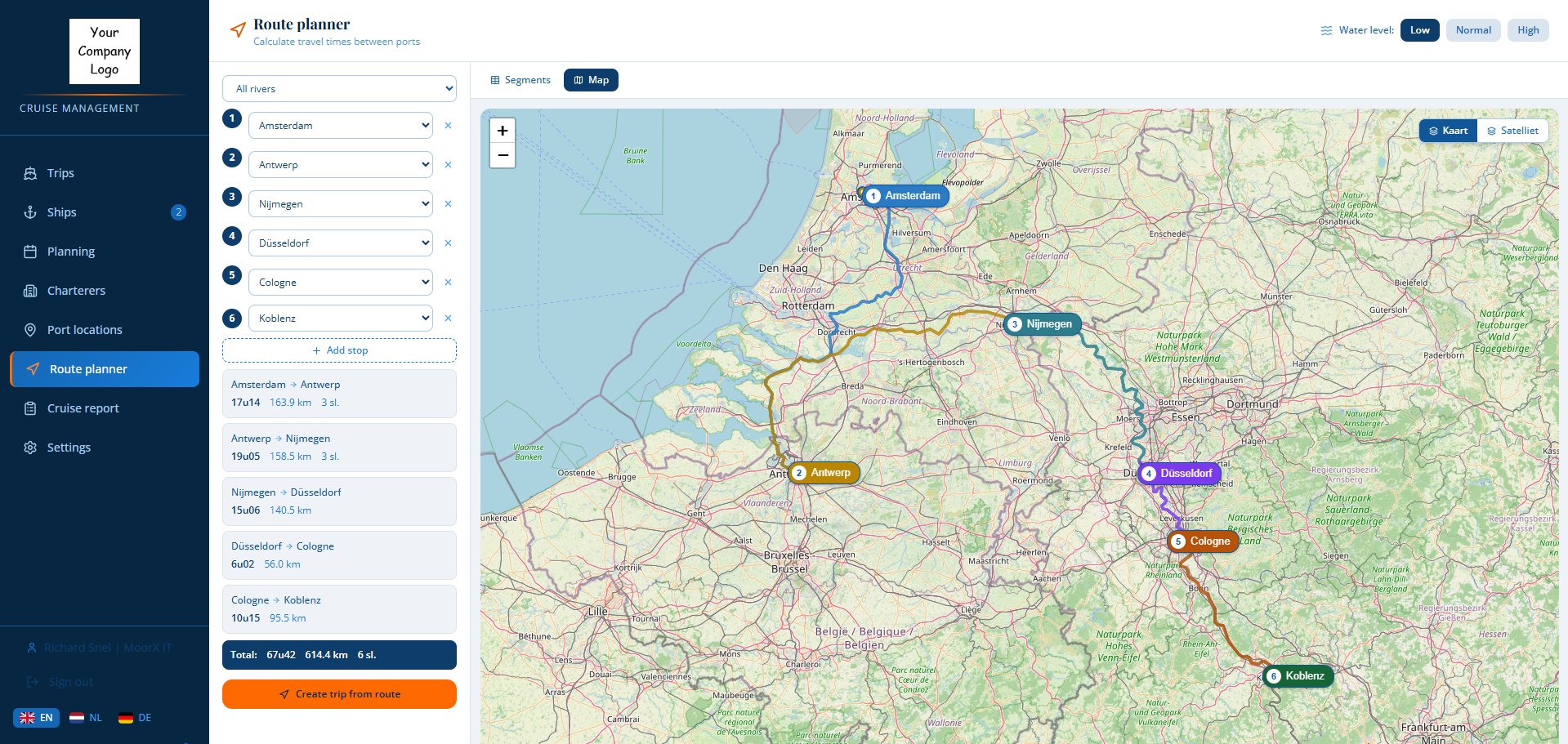
Calculate distances and sailing times between ports, including sailed kilometres per country for VAT allocation, and turn the route into a ready-to-plan trip.
Built for river cruise operators
One shared operational workspace for office teams, nautical crew, and hotel staff—connecting ships, routes, berths, schedules, handovers, and voyage reporting so everyone works from the same clear, current information.
Office, nautical, and hotel teams aligned in one clear operational view.
ROUTE → REPORTThe operational platform
Replace disconnected spreadsheets, messages, maps, and documents with one shared workflow for every voyage and every team.
Calculate distances and sailing times between ports, including sailed kilometres per country for VAT allocation, and turn the route into a ready-to-plan trip.
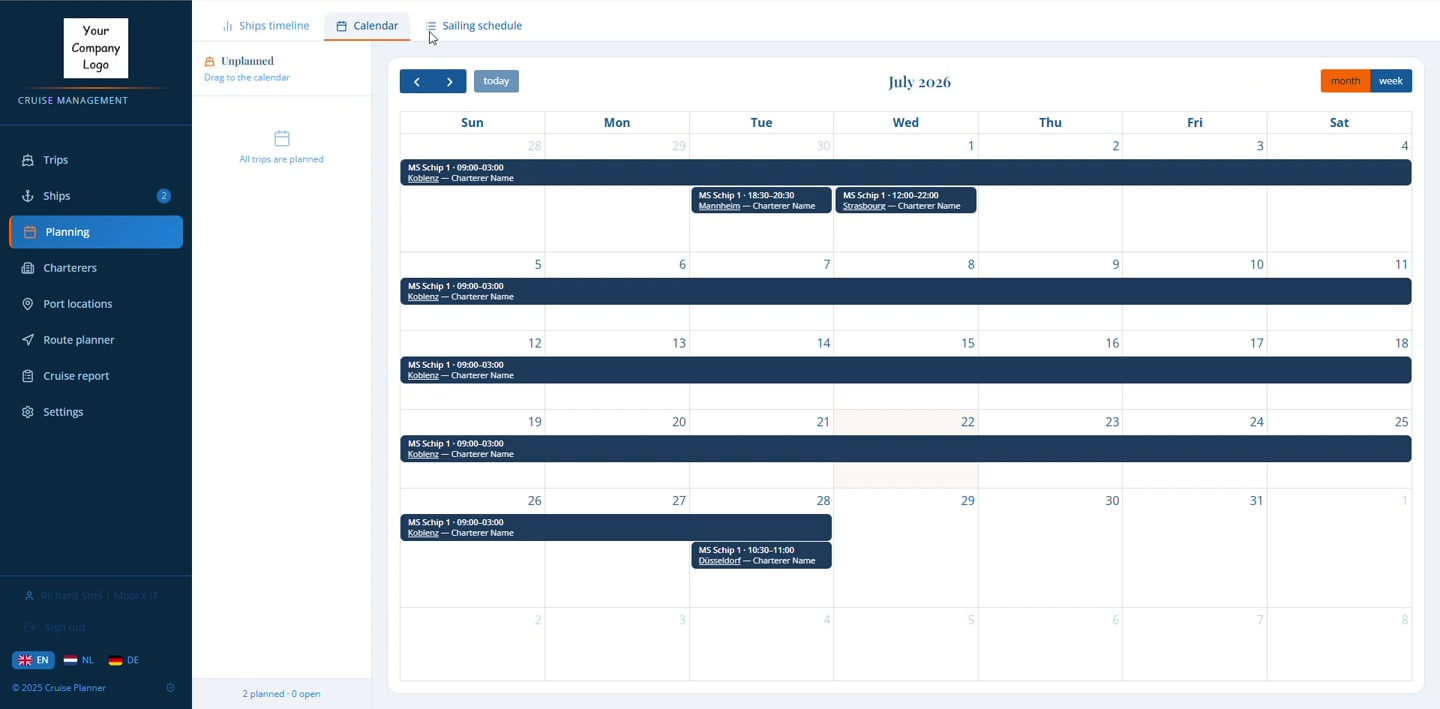
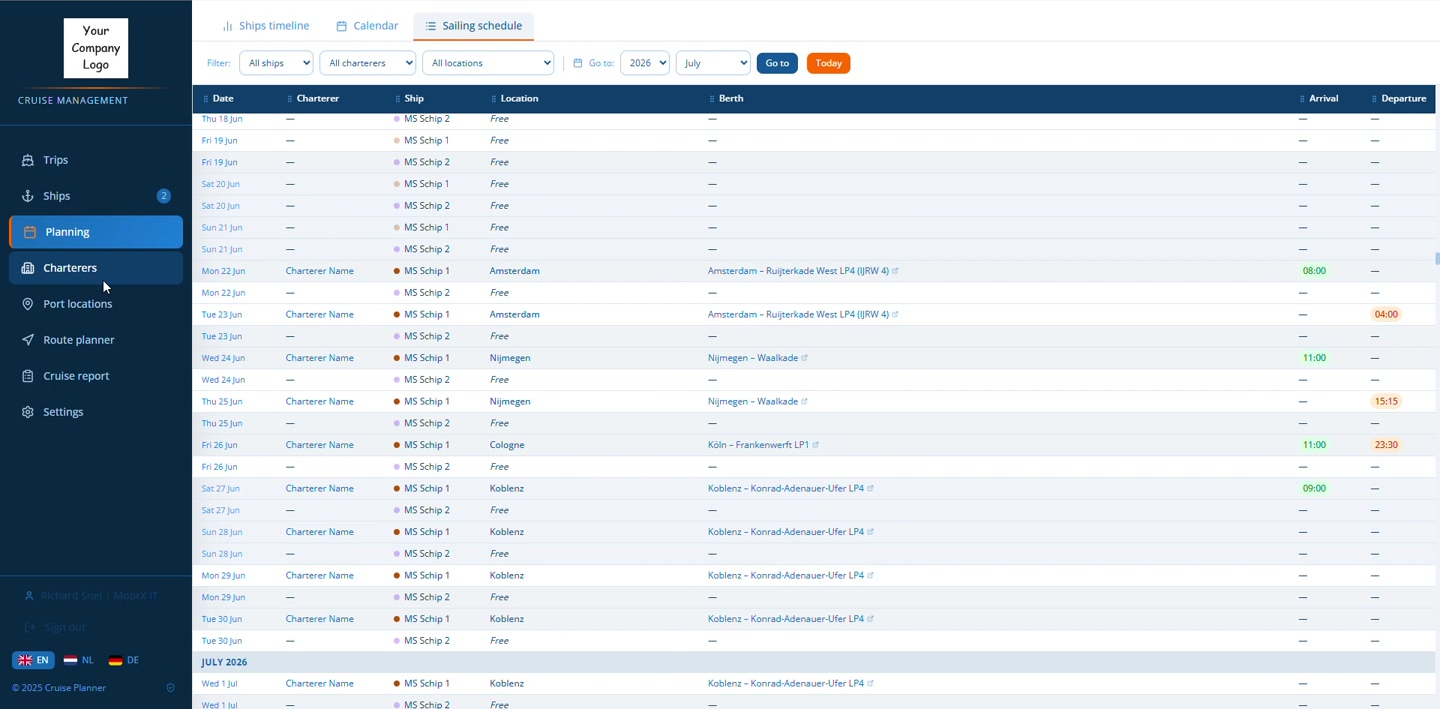
Give office teams, nautical crew, and hotel staff one clear overview of ships, berths, arrivals, departures, and operational changes.
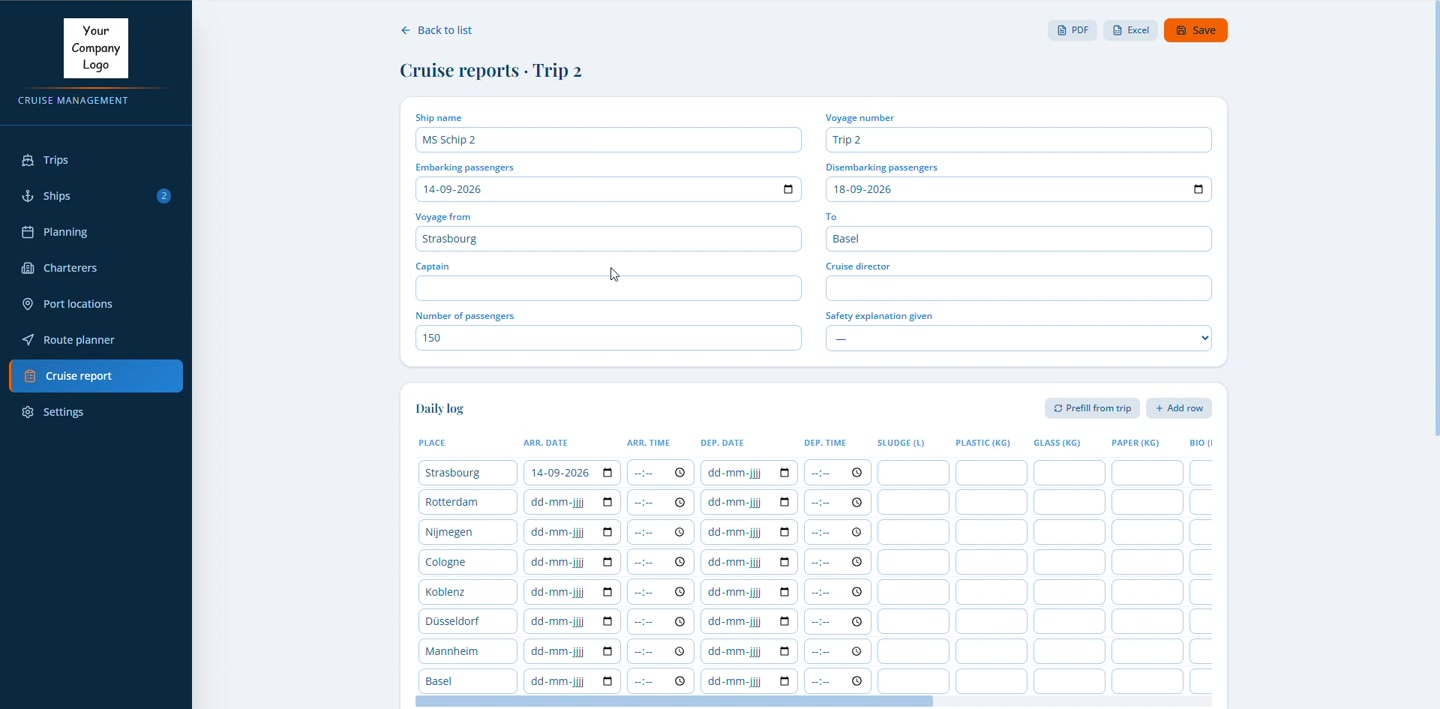
Prefill voyage data from the trip, complete the daily log, and export the finished cruise report to PDF or Excel.
Intelligent route planning
Select each river stop and Cruise Planner calculates the journey by segment—including distance, sailing time, intermediate cities, berth details, water-level scenarios, and the sailed kilometres in each country for VAT allocation and reporting.
Fleet-wide visibility
Move from the big picture to the exact berth, arrival, or departure without rebuilding the plan.
A connected workflow
Information follows the voyage, instead of being re-entered at every operational handover.
Set ports, stops, water level, distance, and sailing time.
Assign a ship and charterer, then schedule every call and berth.
Keep office, nautical, and hotel teams aligned with one current sailing schedule and clear handovers.
Carry voyage data into a consistent, exportable cruise report.
Consistent voyage reporting
Prefill the daily log from the planned trip, capture operational and environmental data, then deliver a consistent report in the format your team needs.
See it with your operation
Get a tailored walkthrough built around your fleet, routes, and planning process.
Book a tailored demo ↗30 minutes · No preparation required